
FAQ
Recover missing apps
How to get lost apps back
Some users have experienced installed apps disappearing from one MMI profile while remaining available in other profiles. If an app such as Spotify or Vivaldi is missing from the main menu, it may still be listed as installed in the privacy settings.
Until the underlying software issue is resolved, uninstalling and reinstalling the hidden app can restore it:
- Open Privacy settings.
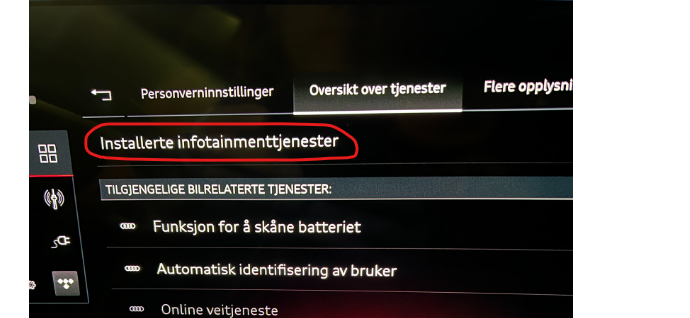
- Select Service overview, then Installed infotainment services.
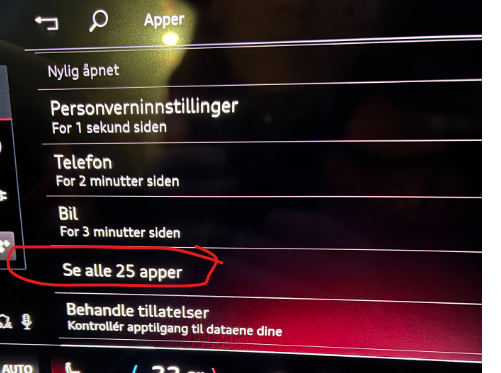
- Select Show all apps.
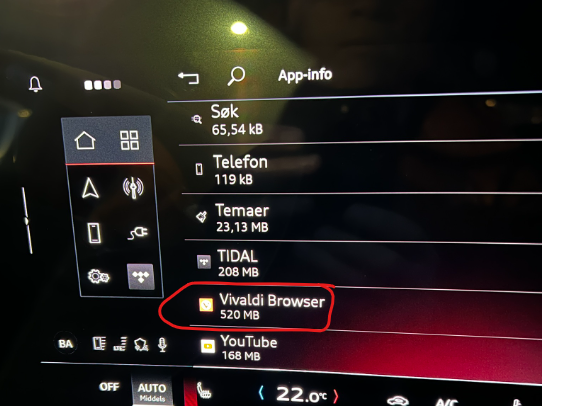
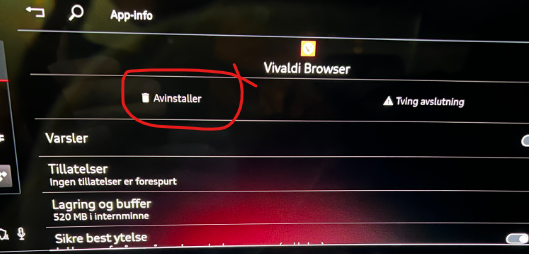
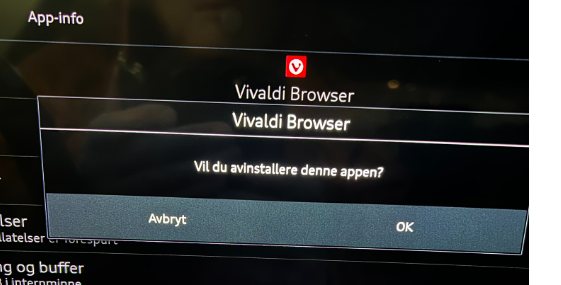
- Find the missing app and choose Uninstall.
- Confirm with OK.
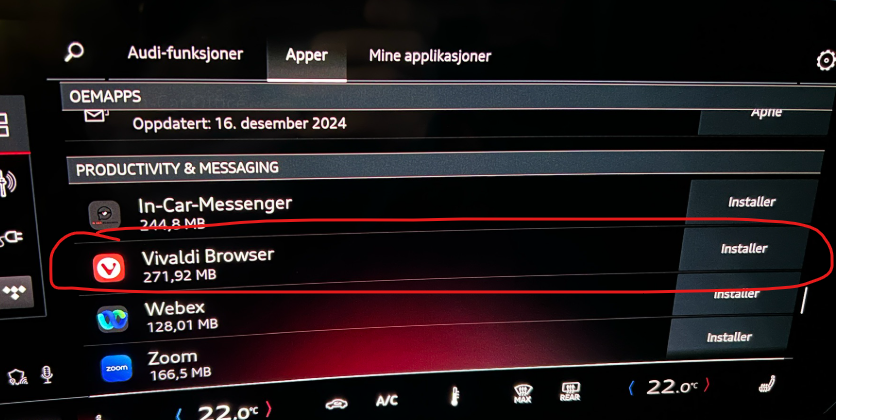
- Return to the app store and install the app again.

This workaround does not correct the root cause, but it is less disruptive than resetting the car to factory settings.